I had a “Rendezvous” with meat…

Several days ago I attended a Wi-Co Event–what is Wi-Co? Well, if you do wireless, think of this as a mini one day event along the same lines of WLPC. Wait, What’s WLPC?

WLPC is “The Conference FOR Wireless LAN Professionals BY Wireless LAN Professionals”. It’s held twice a year, one in Phoenix, Arizona, USA and in Prague, capital city of the Czech Republic.

Wi-Co is basically the friendly neighborhood version: 50–100 people, short talks, same crowd you see at WLPC, just with fewer jet-lagged Europeans. If you wanna learn Wi-Fi without selling a kidney for a plane ticket, it’s perfect. Highly recommended.

The event was held at FedExForum—one of the largest Ubiquiti deployments publicly known. Now, like most well-designed Large Public Venues, the network was… profoundly boring. And that, my friends, is the highest compliment. Everything just worked. No drama. No screaming. No heroic last-second fixes. Just quiet, dignified competence. I nearly fell asleep from the sheer professionalism of it all–plus I had to wake up before the sun was warm and I couldn’t find any Sugar Free Red Bull. Ugh.

The one thing that actually made me sit up was the DHCP scope. According to Google, FedExForum holds about 19,000–20,000 people. Their DHCP pool? Thirteen times that. Thirteen. That’s not a scope, that’s a declaration of war on future demand. You could show up with your phone, your watch, your tablet, your laptop, your e-reader, your smart shoes, and along with a box of tacos and still get an address. 

Look, I know throwing that many IPs at something doesn’t magically make the network handle it… but why be timid? One of the talks was literally about running 100 Gig links inside the arena. I saw Access Point models that could support dual 10 Gig uplinks. These people are not playing around.

And the lesson is–If you’re looking for a reckoning, a reckoning is what you’ll find! … oh.. wait.. wrong TV show… hint-hint Westworld.

So the lesson, is simple: If you can overbuild it, overbuild it like a maniac. Design for the absolute maximum capacity you could ever possibly need… then multiply by five. Go big, or go home and explain to management why your network cried during the championship game.

And, we had lunch from Charlie Vergos’ Rendezvous—-which was just insane… the Ribs — GET THE RIBS!!!
…of travellers and merchants

Finally, after four years, I used Ekahau Site Survey & Planner. This journey started at the first Wireless LAN Professionals Conference. I first met Jussi Kiviniemi walking out of registration at WLPC, he was in the lobby area. I noticed his badge/name tag had that funny word. At the time I had barely heard of it, nor how to even pronounce it. He mentioned the name, I said “oh yeah, that’s it”, he smiled and I walked away.  The last evening of the conference was a training session for the software, I wasn’t planning on staying for that, had to catch a plane. But I was around long enough to have the phrase “Hello, Mr. Anderson.” forever burned into my mind. During the training session, that phrase was mentioned several times.  Not sure why that was being said, but that’s what I remember.

Over the past few years, I’ve watched people design with the software. And, what issues they have with it and how responsive support is. Everybody seems to love it. I even hung around longer during other training sessions at WLPC to try and pickup more about it. Just a little bit here and there.

So this brings us to today, right now. Well, I downloaded the trial version.  Hmm. OK, it has some limitations.  But, during that time I just clicked around and figured out what each button does, where to find things and how to “draw” with it.

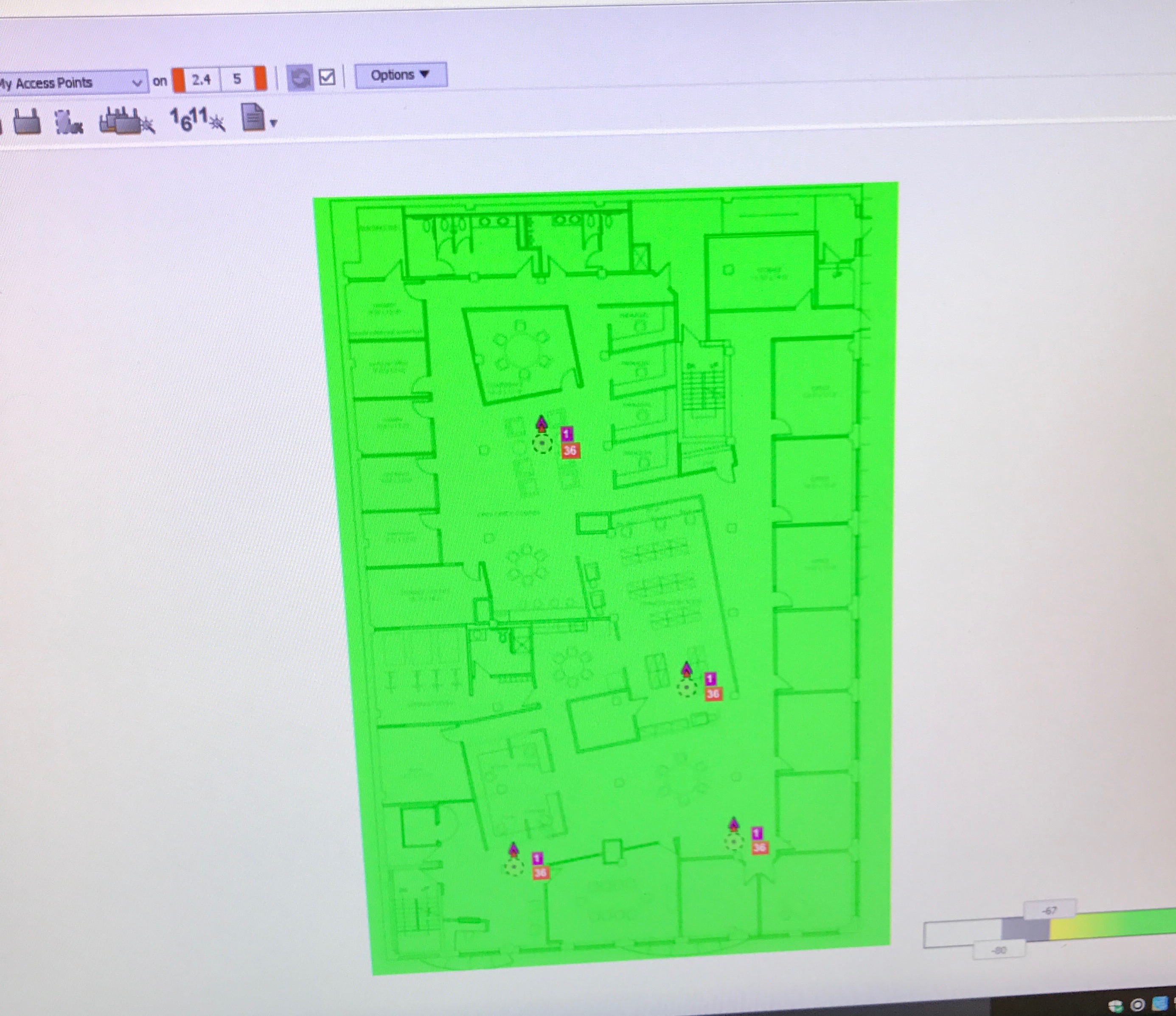
I have a floor plate of my office, nothing fancy just a PNG image. If you have the CAD file for your floor or building. You can important that, and if the walls are put in and other stuff that goes into a CAD file, the software will know that and design correctly, vs. you having to place walls. So this is what I started with after placing some Access Points.

IMG_3036

Hmm, wow … green is good … coverage is great. HA … well, yeah. But, lets do some more with it.

After adding some attenuation areas, elevator areas, brick walls, drywalls, glass walls. More walls, and lots of walls. I ended up with this…

IMG_3040

Of course this is not even close to being done. I still need to adjust heights of some walls–we have walls that are six and nine feet tall used for dividers. Most of our office is open with 11+ foot ceilings. However, based on what WiFi Explorer shows me. I would say so far this design is pretty accurate—take that with a grain of salt, because much more goes into wireless design than an hour or so of playing around.

Now, there is a reason for Ekahau Certified Survey Engineer (ECSE), this software is pretty intense. Lots of little knobs and things to “tweak”.  To get it right, or close to perfect as possible.

So, yeah, I’m kind of happy about this. I can see why people love this software and why they spend hours with it. Now the only downside is—I should have used this software sooner.